
 Daniel Taylor
Selling PLR-based digital products on Etsy can be a practical way to build an online income stream without physical inventory or shipping. However, having Private Label Rights does not automatically mean you can upload an unchanged PLR product to Etsy.
Etsy requires digital products to be made and/or designed by the seller. The better approach is to use properly licensed PLR as source material, then create your own original product through rewriting, restructuring, designing and adding useful new content.
In this tutorial, you will learn how to sell PLR on Etsy, from researching profitable product ideas and choosing suitable PLR to creating your product, optimizing your Etsy listing and building a related product range.
In This Article
Introduction: How to Sell PLR on Etsy
PLR, or Private Label Rights content, can dramatically reduce the amount of time needed to research and develop digital products. Instead of beginning with a blank page, you already have licensed information and ideas that can form part of your product-development process.
The important distinction is that PLR should be treated as source material rather than ready-made Etsy inventory.
For example, you might take licensed gardening PLR and use it to develop an original vegetable garden planner containing planting calendars, seed inventories, watering trackers, worksheets and harvest records.
This tutorial will take you through that complete process step by step.
Step 1: Research Profitable PLR Product Ideas on Etsy
Before choosing your PLR, decide what people are actually looking for.
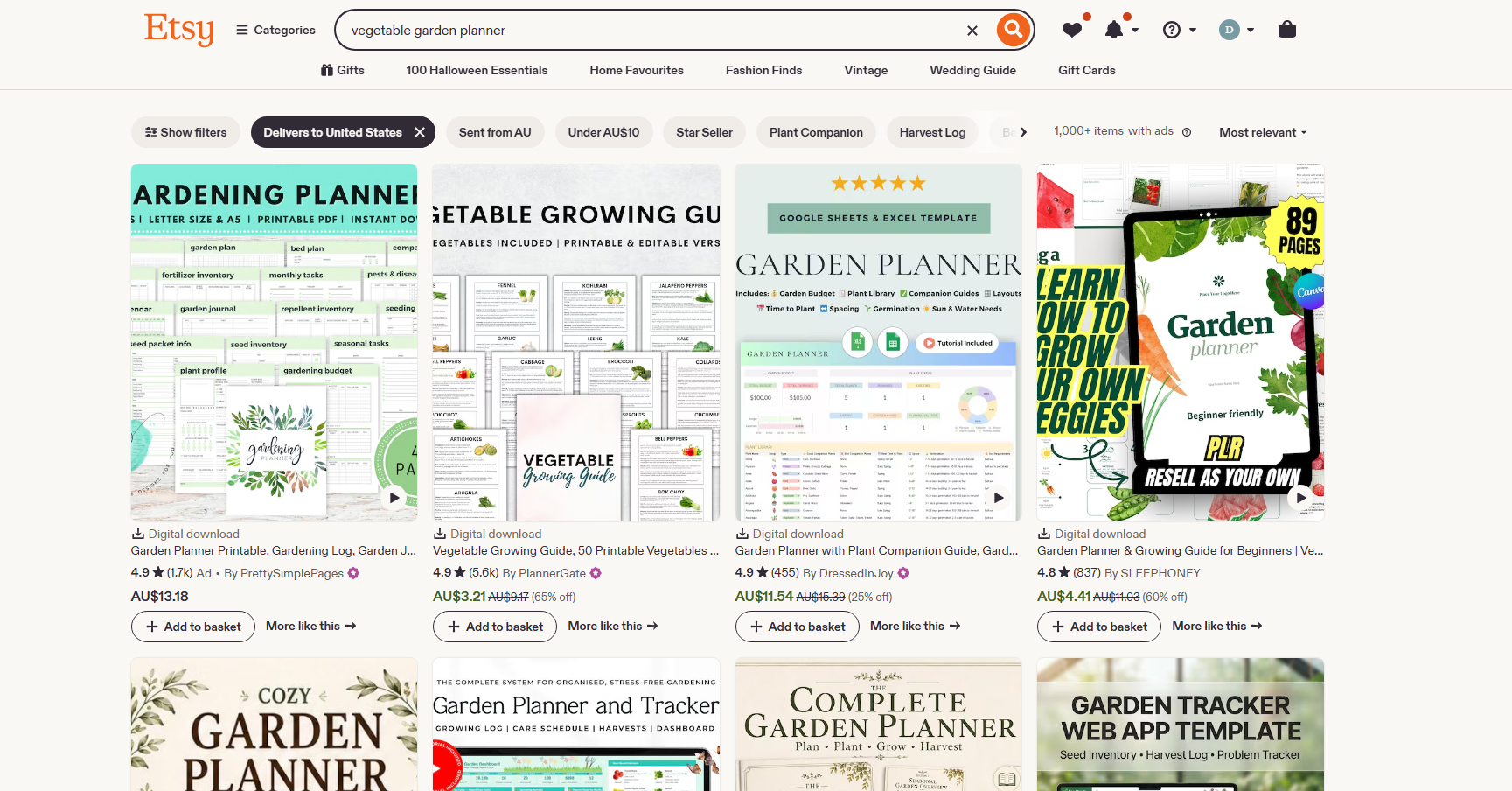
Go to Etsy and search for digital products within a niche you understand or want to enter. Start broadly and then narrow the search.
For example:
- Garden planner
- Vegetable garden planner
- Beginner garden planner
- Planting schedule printable
Pay attention to Etsy's search suggestions, the types of products appearing repeatedly and how successful-looking listings solve specific customer problems.
You are not looking for products to copy. You are identifying customer demand.
What to Look for During Etsy Product Research
Focus on a few important points:
- What type of product is being sold?
- Who appears to be buying it?
- What problem does it solve?
- What features are commonly included?
- Could you create something more useful or focused?
By the end of your research, you should have one specific product idea.
Example: Instead of deciding to sell "gardening PLR," decide to create a Beginner Vegetable Garden Planner & Workbook.
Step 2: Find Quality PLR Content for Your Product
Once you know what you want to create, find PLR content that can help you build it.
This is much more effective than purchasing random PLR and then trying to find something to do with it.
For our gardening example, useful PLR might cover vegetable gardening, starting seeds, garden maintenance, planting schedules or growing specific vegetables.
The PLR does not need to become the finished product itself. It can provide research, information and ideas that you develop into something new.
Choosing Good PLR Content
Look for content that is:
- Relevant to your product.
- Well written and useful.
- Reasonably current.
- Easy to edit.
- Supplied with a clear licence.
Avoid using poor-quality PLR simply because you already own it. Bad source material usually creates more work later.
Step 3: Check the PLR Licence and Etsy Requirements
Before editing anything, read the licence supplied with the PLR.
Check whether you can modify the content, rebrand it, combine it with other material and commercially sell products created from it.
Also look carefully for restrictions. Some PLR licences prevent buyers from transferring PLR rights, selling editable source files or distributing the original content unchanged.
PLR Rights vs Etsy Rules
These are two separate requirements.
Your PLR licence determines what the original rights holder permits you to do.
Etsy's policies determine what Etsy permits you to sell on its marketplace.
Etsy currently requires digital downloads to be made and/or designed by the seller. Therefore, having legal permission to resell a PLR product does not automatically make the unchanged product suitable for Etsy.
Important: Always check the current Etsy Creativity Standards before listing PLR-based products because marketplace policies can change.
Step 4: Turn PLR Into an Original Digital Product
This is the most important part of the process.
Do not simply change the title, replace the cover and upload the original PLR files.
Instead, use the PLR as source material while creating a product designed around the customer need you identified earlier.
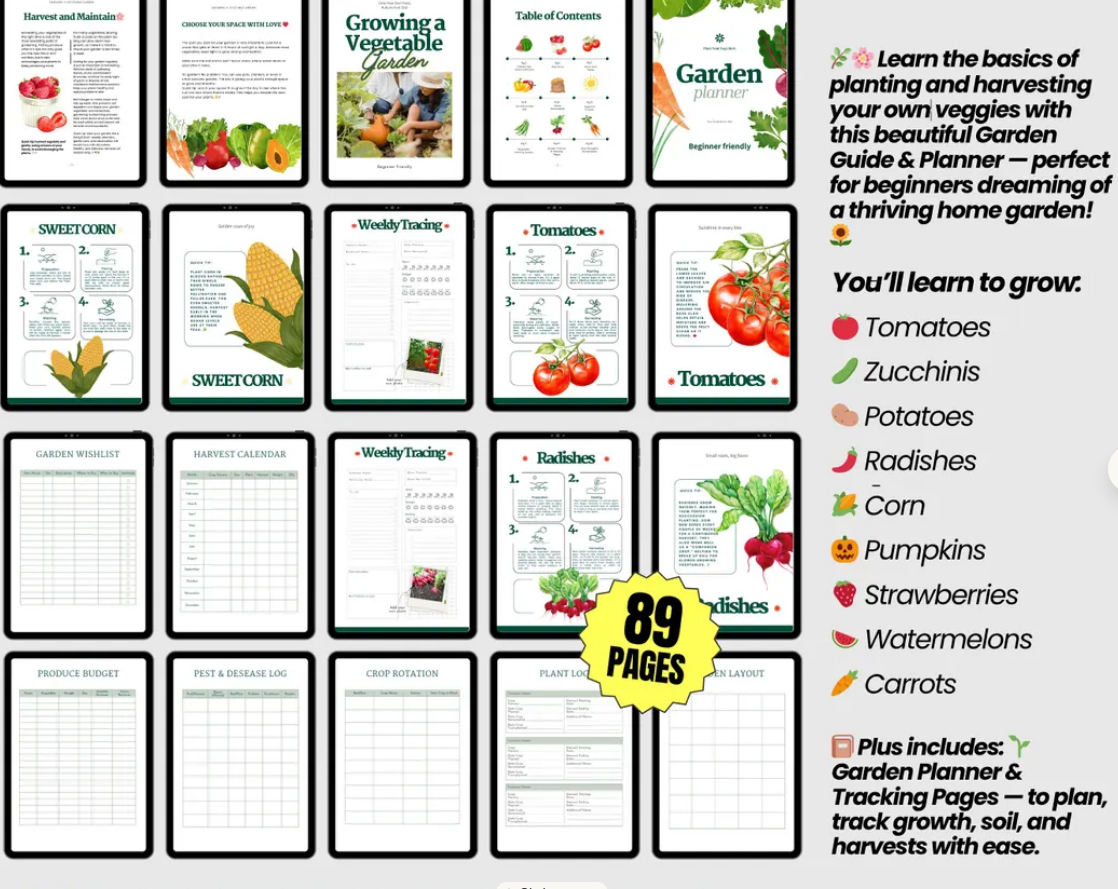
For example, gardening PLR could help you develop a completely new Beginner Vegetable Garden Planner containing:
- Garden planning worksheets.
- Planting calendars.
- Seed inventories.
- Watering schedules.
- Plant growth trackers.
- Harvest records.
- Gardening notes.
Rewrite and reorganize useful information where appropriate. Remove unnecessary sections and add your own worksheets, tables, checklists, instructions and design elements.
Focus on Adding Real Value
There is no reliable percentage rule stating that changing a certain amount of PLR automatically makes a product original.
Instead, ask yourself:
Does my finished product genuinely represent something I created, or does it still look like the PLR product I purchased?
If it is mostly the original product with cosmetic changes, continue developing it.
Step 5: Design and Brand Your Digital Product
Your finished product should have a consistent visual identity.
Choose two or three main colours, readable fonts and a consistent style for headings, pages, worksheets and graphic elements.
Keep the design simple enough that the product remains easy to use. A printable workbook does not need decorative graphics covering every available space.
Remove old PLR branding, advertisements, website addresses and author information where your licence permits.
Keep the Customer in Mind
Design according to how the product will actually be used.
A printable should be easy to print and write on. A workbook should have clear sections. An ebook should be comfortable to read, while an editable template should contain clear editing instructions.
Step 6: Export and Test Your Product Files
Export your completed product into the format customers will receive. PDF is commonly suitable for ebooks, guides, worksheets, planners and other fixed-layout documents.
Before uploading anything to Etsy, open the actual exported files.
Check:
- Page order and numbering.
- Spelling and formatting.
- Images and fonts.
- Clickable links.
- Printing quality.
- File names.
- Old PLR branding.
- Missing or blank pages.
If the product is printable, print several pages yourself. If it contains links, click them.
Keep your editable source files separate from the finished customer downloads so you do not accidentally upload the wrong files.
Step 7: Create Your Etsy Shop
If you do not already have an Etsy shop, complete Etsy's current seller onboarding process.
You will need to provide the information Etsy requests for establishing the shop, receiving payments and verifying your seller account where required.
Choose a shop name broad enough to accommodate future products within the same market.
For example, a gardening digital-product store might eventually contain garden planners, planting calendars, seed trackers and gardening journals. Avoid restricting the entire brand to one specific product.
Step 8: Create Your Etsy Digital Product Listing
Inside Etsy Shop Manager, create a new listing and complete the required product information.
Make sure the listing is correctly configured as a digital product where applicable and upload the files customers should receive.
At the time of writing, Etsy allows up to five files per instant digital listing, with a maximum size of 20 MB per file.
Use professional filenames such as:
beginner-vegetable-garden-planner.pdf
rather than internal working names such as:
FINAL-new-version-4.pdf
Before continuing, open the customer files one final time and confirm you have uploaded the correct versions.
Step 9: Create Etsy Product Images That Get Clicks
Your images need to attract attention and explain what the customer receives.
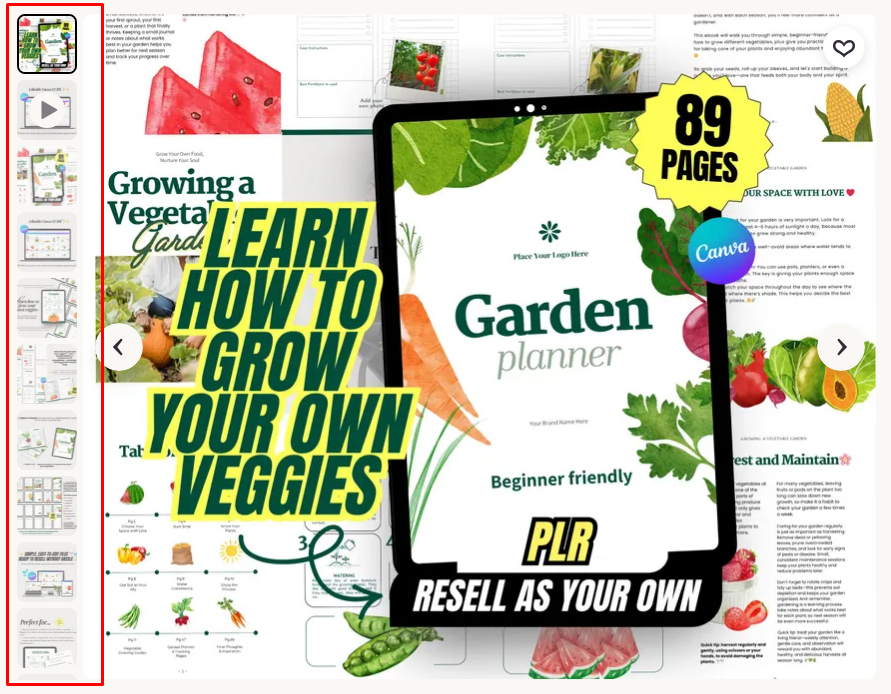
The first image should immediately communicate what the product is. Additional images can show interior pages, included resources, important features and how the product works.
A useful image sequence might include:
- Main product image.
- What's included.
- Interior page previews.
- Important features.
- How the download works.
- File and printing information.
- Digital download notice.
Avoid misleading mockups. If a tablet, notebook or other physical object is used to display your product, make it clear that those objects are not included.
Step 10: Optimize Your Etsy Product Title for SEO
Your Etsy title should clearly describe what the product is using terminology relevant customers are likely to understand and search for.
Avoid stuffing the title with repeated variations of the same keyword.
Example Etsy SEO Title
Instead of:
Garden Planner Printable Garden Planner Garden PDF Vegetable Planner
use something clearer:
Beginner Vegetable Garden Planner | Printable Gardening Workbook & Plant Tracker
The second version describes the product naturally while including several relevant search phrases.
Keep the most useful information near the beginning and make sure every phrase accurately describes the product.
Step 11: Write an Etsy Product Description That Converts
Start the description by clearly explaining what the customer is buying and what problem the product helps solve.
Then make the important information easy to scan.
Suggested Description Structure
What You'll Receive
Briefly list the files, pages or major resources included.
Product Details
Explain the file format, size, printing information and software requirements.
How It Works
Explain how the customer receives and uses the digital product.
Important Information
State clearly that the product is digital and that no physical product will be shipped.
Do not turn the description into a wall of keywords. Write primarily for the customer while naturally using relevant terminology.
Step 12: Choose Etsy Tags and Keywords
Etsy currently allows sellers to use up to 13 tags on a listing.
Use them to describe different relevant ways customers might search for your product.
For the gardening example, these might include:
- Garden planner
- Garden printable
- Planting planner
- Seed tracker
- Garden journal
- Plant tracker
- Harvest tracker
Avoid filling all 13 tags with almost identical variations.
Also complete relevant categories and attributes accurately. These provide Etsy with additional information about the product.
Step 13: Price Your Digital Product
Research comparable Etsy products before deciding on your price.
Compare products based on what customers receive rather than simply finding the cheapest competitor.
Consider:
- Product quality.
- Amount of useful content.
- Design quality.
- Comparable products.
- Etsy seller fees.
- Perceived customer value.
A focused 25-page workbook that solves a specific problem can provide more value than a 200-page bundle filled with unnecessary material.
Check Etsy's current seller fees when calculating your price because fees and applicable charges can change.
Step 14: Review and Publish Your Etsy Listing
Before publishing, review everything from the customer's perspective.
Final Listing Checklist
- Product complies with your PLR licence.
- Finished product represents your own work and design.
- Correct digital files are uploaded.
- Main image clearly explains the product.
- Additional images show what is included.
- Title accurately describes the product.
- Description is easy to scan.
- Relevant tags and attributes are completed.
- Price is correct.
- Digital-download status is obvious.
Publish the listing, then open the live page and check how it appears on both desktop and mobile.
Fix any obvious problems before promoting it.
Step 15: Build More Products and Grow Your Etsy Shop
Once your first product is published, consider creating related products for the same customer rather than jumping between unrelated niches.
Your gardening product could eventually expand into:
Garden Planner → Seed Tracker → Planting Calendar → Harvest Journal → Complete Garden Bundle
This gives your Etsy shop a clearer identity and creates opportunities for customers to purchase multiple related products.
You can also promote your products through suitable channels such as Pinterest, your website, blog content, email marketing or social media.
Step 16: Common Mistakes When Selling PLR on Etsy
Uploading PLR Without Meaningful Changes
Having resale rights does not automatically make somebody else's original product your own Etsy design.
Fix: Use PLR as source material and create a genuinely developed finished product.
Only Changing the Cover
Replacing the cover does not substantially change the underlying product.
Fix: Restructure, customize, redesign and add meaningful original elements.
Choosing PLR Before Researching Demand
Owning thousands of PLR products does not mean there is demand for them on Etsy.
Fix: Research the customer first and choose suitable PLR afterwards.
Keyword Stuffing
Repeating keywords excessively can make titles and descriptions difficult to read.
Fix: Use relevant search terminology naturally while writing primarily for customers.
Creating Random Products
A shop containing completely unrelated products can make it harder to establish a recognizable niche.
Fix: Build related products around the same type of customer.
Step 17: Final Thoughts on Selling PLR on Etsy
Learning how to sell PLR on Etsy is really about learning how to use PLR more effectively.
Instead of treating PLR as ready-made inventory, use it to reduce the time required for research and content development. Combine that advantage with your own design, organization and original material to create products targeted toward specific customer needs.
The complete strategy is straightforward:
Research demand → Choose a product → Find suitable PLR → Check the licence → Create an original product → Design it → Create the Etsy listing → Optimize it → Publish → Build related products.
Start with one strong product rather than trying to upload hundreds of generic PLR files.
Once that product is live, use what you learn to create the next one.
About the Author






0 Comments
Start The Conversation