Product Description
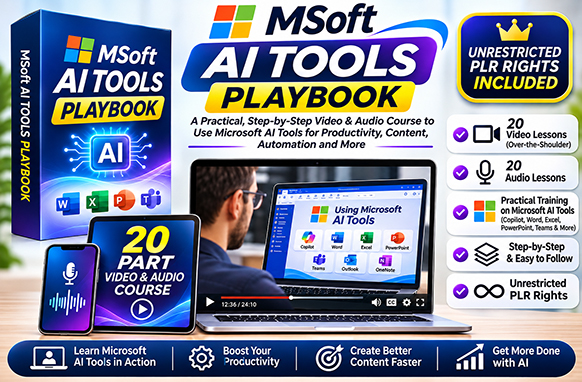
Discover how to unlock the power of Microsoft Copilot with Microsoft AI Tools Playbook, a practical training package featuring 20 step-by-step video tutorials and additional MP3 audio lessons covering Microsoft's AI-powered productivity tools!
Artificial intelligence is changing the way people create content, research information, manage documents, and complete everyday business tasks.
With Microsoft AI Tools Playbook, you'll discover how to use Microsoft Copilot across a range of popular Microsoft applications, including Word, Excel, PowerPoint, Edge, and OneNote.
From generating written content and summarising webpages to creating AI-powered presentations, working with documents, and exploring advanced Copilot features, this training provides practical demonstrations to help you understand Microsoft's AI capabilities.
Whether you're an entrepreneur, business professional, content creator, or complete beginner, these easy-to-follow tutorials introduce useful ways to integrate artificial intelligence into your everyday workflow.
What Will You Learn in Microsoft AI Tools Playbook?
This comprehensive Microsoft Copilot training course covers essential AI features, practical applications, and productivity techniques across Microsoft's ecosystem.
1. AI Content Creation with Microsoft Copilot
Discover how to use Microsoft Copilot to generate written content, develop ideas, and simplify everyday writing tasks.
Learn how to:
- Create written content using AI assistance.
- Generate ideas for articles and marketing materials.
- Draft and improve written communications.
- Explore AI-assisted content development.
- Use Copilot prompts to guide content generation.
- Improve efficiency when preparing written material.
These techniques can help entrepreneurs, marketers, and content creators streamline their writing workflows.
2. Microsoft Edge & AI-Powered Research
Learn how Microsoft Copilot can assist with researching information and summarising online content.
Discover how to:
- Use Copilot within Microsoft Edge.
- Summarise webpages and online articles.
- Extract important information from web content.
- Explore AI-assisted research techniques.
- Save time when reviewing lengthy online resources.
- Organise information for business and personal projects.
3. Document Summarisation & PDF Analysis
Explore how Microsoft Copilot can help you understand and work with lengthy documents.
Learn how to:
- Summarise PDF documents.
- Identify key points in written material.
- Review lengthy documents more efficiently.
- Explore AI-powered document analysis.
- Simplify complex information.
- Turn document content into useful summaries.
These practical techniques can help reduce the time spent reviewing reports, documents, and other written resources.
4. Microsoft Copilot Features & AI Search
Discover the core capabilities of Microsoft Copilot and explore how AI-assisted search works.
Topics include:
- Introduction to Microsoft Copilot features.
- Using Copilot as a search assistant.
- Exploring AI-powered information retrieval.
- Understanding available Copilot tools.
- Working with AI-generated responses.
- Discovering additional Copilot functionality.
5. AI Image Creation & Microsoft Designer
Learn how Microsoft's AI-powered tools can assist with creating visual content.
Discover how to:
- Generate images using AI.
- Create graphics from written descriptions.
- Explore AI-powered image generation.
- Develop visual content for creative projects.
- Use AI imagery for presentations and marketing.
- Understand practical applications of AI-generated graphics.
6. Microsoft Copilot for Word
Explore how Copilot can assist with creating, editing, and organising documents in Microsoft Word.
Learn how to:
- Use AI assistance when preparing documents.
- Explore Copilot features within Word.
- Modify existing written content.
- Generate and improve document text.
- Access Copilot Pro features in Word.
- Use AI to simplify document-related tasks.
7. Microsoft Copilot for PowerPoint
Discover how Microsoft Copilot can assist with creating and improving business presentations.
Learn how to:
- Explore Copilot Pro in PowerPoint.
- Use AI assistance for presentation content.
- Generate presentation ideas and outlines.
- Create and organise slide content.
- Explore PowerPoint prompt assistance.
- Improve productivity when preparing presentations.
8. Microsoft Copilot for Excel & OneNote
Explore additional AI-powered features within Microsoft productivity applications.
Topics include:
- Previewing Copilot functionality in Excel.
- Exploring AI assistance for spreadsheet tasks.
- Creating audio transcripts with OneNote.
- Using Copilot Pro Help in OneNote.
- Organising notes and information.
- Exploring AI-assisted productivity workflows.
What's Included in Microsoft AI Tools Playbook?
This training package includes 20 instructional MP4 video tutorials covering Microsoft Copilot and its applications across Microsoft's productivity tools.
Complete 20-Part Microsoft Copilot Video Training Series
- Create Written Content with Copilot – Learn how to generate written content using Microsoft AI.
- Use Edge and Copilot to Summarise Webpages – Explore AI-assisted webpage summaries.
- Summarise a PDF – Discover how Copilot can assist with PDF document analysis.
- Microsoft Copilot Features – Introduction to essential Copilot capabilities.
- Use Copilot as Search – Explore AI-powered search and information retrieval.
- Image Creation – Discover AI-generated image capabilities.
- Copilot Plugins – Explore additional Copilot functionality through plugins.
- Microsoft 365 Copilot Pricing for Business Customers – Understand business subscription options discussed in the training.
- Purchase of Copilot Pro – Walk through the Copilot Pro purchasing process.
- Activate Copilot in Office 365 – Explore Copilot activation within Microsoft Office.
- Copilot 365 Pro – Paid App and Microsoft Word – Introduction to Copilot features in Word.
- Copilot 365 Pro – Paid App and Microsoft Word – Additional Word-related Copilot training.
- Changing Word Documents with Copilot Pro – Explore AI-assisted document modifications.
- Copilot Pro Help in Word – Discover additional Copilot assistance within Word.
- Use AI Design in Microsoft Word – Explore AI-powered document design.
- Copilot Pro in PowerPoint – Introduction to AI-assisted presentations.
- Copilot Pro PowerPoint Prompt Help – Learn about prompts for presentation creation.
- Copilot Pro Help in OneNote – Explore Copilot assistance within OneNote.
- Create Audio Transcripts with OneNote – Discover audio transcription functionality.
- Copilot Preview in Excel – Explore AI assistance within Microsoft Excel.
Additional MP3 Audio Training
Alongside the 20 video tutorials, the package includes an MP3 audio training collection.
These additional audio resources provide another convenient way to review the training material and explore Microsoft Copilot features.
The combination of video and audio makes the course suitable for different learning preferences.
What Can Microsoft AI Tools Playbook Be Used For?
This practical Microsoft Copilot training package covers a variety of applications for business, education, marketing, and everyday productivity.
- AI Content Creation: Generate articles, written content, and marketing material.
- Web Research: Summarise webpages and gather useful information.
- PDF Summarisation: Extract important points from lengthy documents.
- Document Editing: Explore AI-assisted writing and editing in Microsoft Word.
- Business Presentations: Learn how Copilot can assist with PowerPoint.
- Spreadsheet Productivity: Explore AI features available in Microsoft Excel.
- Audio Transcription: Discover transcription tools within Microsoft OneNote.
- AI Image Generation: Create visual content using Microsoft AI tools.
- Business Communication: Improve written communication and information organisation.
- Office Productivity: Learn techniques for simplifying repetitive tasks.
- Digital Marketing: Explore AI-assisted content and promotional material creation.
- Professional Development: Expand your understanding of Microsoft AI applications.
Who Is This Microsoft Copilot Training For?
Microsoft AI Tools Playbook is suitable for individuals and businesses looking to improve their understanding of artificial intelligence and Microsoft productivity applications.
- Complete Beginners: Learn the fundamentals of Microsoft Copilot.
- Business Owners: Explore AI tools for everyday business tasks.
- Office Professionals: Discover AI features in Word, Excel, PowerPoint, and OneNote.
- Digital Marketers: Learn AI-assisted writing, research, and content creation.
- Content Creators: Explore tools for generating written and visual content.
- Freelancers: Develop practical Microsoft AI productivity skills.
- Students & Educators: Explore AI-assisted document creation and research.
- Entrepreneurs: Learn ways to incorporate AI into business workflows.
- Microsoft 365 Users: Discover additional features and applications within Microsoft's ecosystem.
- AI Enthusiasts: Expand your knowledge of Microsoft Copilot and related tools.
What Will You Get with Your Download?
Your Microsoft AI Tools Playbook training package includes:
- 20 Step-by-Step Video Tutorials – Practical Microsoft Copilot demonstrations.
- 20 MP4 Training Videos – Video lessons covering Microsoft's AI-powered tools.
- MP3 Audio Training Resources – Additional audio learning materials.
- Microsoft Copilot Fundamentals – Introduction to features, search, and content generation.
- Microsoft Edge Training – AI-powered webpage summarisation and research.
- PDF Summarisation Tutorials – Learn how to work with documents using AI.
- Microsoft Word Tutorials – Copilot-assisted writing, editing, and document design.
- Microsoft PowerPoint Training – AI-assisted presentations and prompting.
- Microsoft Excel Introduction – Explore Copilot features for spreadsheets.
- Microsoft OneNote Training – AI assistance and audio transcription.
- AI Image Creation Tutorials – Explore Microsoft's image generation tools.
- Copilot Pro & Microsoft 365 Guidance – Learn about subscription options, activation, and features.
- Real-World AI Demonstrations – Practical examples of Microsoft Copilot applications.
Why Choose Microsoft AI Tools Playbook?
Microsoft Copilot offers a growing collection of artificial intelligence features designed to assist with everyday tasks.
However, understanding how these features work across different Microsoft applications can be challenging, particularly for users who are new to AI.
Microsoft AI Tools Playbook brings together practical tutorials covering several Microsoft applications in one convenient training package.
Instead of searching for separate tutorials on Copilot, Word, PowerPoint, Excel, OneNote, and Microsoft Edge, you'll have access to a structured collection of demonstrations.
The course explores both general AI capabilities and application-specific features, helping users understand how Microsoft Copilot can be applied to different tasks.
From summarising webpages and generating written content to exploring document editing, presentations, and audio transcription, the training introduces a broad range of useful techniques.
Learn Microsoft Copilot at Your Own Pace
With video tutorials and additional MP3 audio resources, you can explore the training material at a pace that suits your schedule.
Follow along with the video demonstrations to see how features work, then revisit individual lessons whenever you need a refresher.
Whether you're learning Microsoft Copilot for business, education, content creation, or personal productivity, this training provides a practical introduction to AI-assisted workflows.
Get Started with Microsoft AI Tools Playbook Today!
Whether you're looking to create content faster, improve document workflows, explore AI-powered research, or learn more about Microsoft's productivity tools, Microsoft AI Tools Playbook provides practical training to help you get started.
With 20 instructional video tutorials and additional MP3 audio resources, this course introduces Microsoft Copilot features across several popular Microsoft applications.
Get Microsoft AI Tools Playbook today and discover how artificial intelligence can help you work smarter, simplify everyday tasks, and make better use of Microsoft productivity tools!

- File Type zip file
- File Size 156.32 MB
- License Private Label Rights
- Product Files MP4, MP3
- Sale Tools no
- Date Added November 18, 2026
- Learn about this products licenses


